
Northpoint Field Ops · Energy demo
Field operations,
connected.
A practical operating system for wells, crews, field tickets, inspections, equipment and documents — built around the work happening outside the office.
Field readyRole basedAsset centeredBuilt to expand
OPERATION AT A GLANCE
128Wells tracked
103Producing
17Open work orders
94%Reports received
Operations command center
Everything important, before the morning meeting.
Illustrative demo data · updated moments ago
Requires attention
View work orders →Priority activity
Northpoint Bridgeland 14-22Pump issue · High priority
18 minNorthpoint Federal 8-16Offline · 11 hours
11 hrNorthpoint State 3-7Inspection overdue
1 dayBridgeland 22-4Field ticket approved
2 hrDevelopment
100+ plannedWell lifecycle
Planned
28
Permitting
18
Site Prep
8
Drilling
4
Completion
3
Producing
103
One view from planned location through production and maintenance.
Built for scale
One operation can quickly become hundreds of moving parts.
As wells are planned, drilled, completed and brought into production, the operational record should grow with them — not scatter across texts, spreadsheets, inboxes and shared folders.
Fields & well locationsDevelopment statusContractors & crewsEquipment & maintenanceInspection historyDocuments & compliance
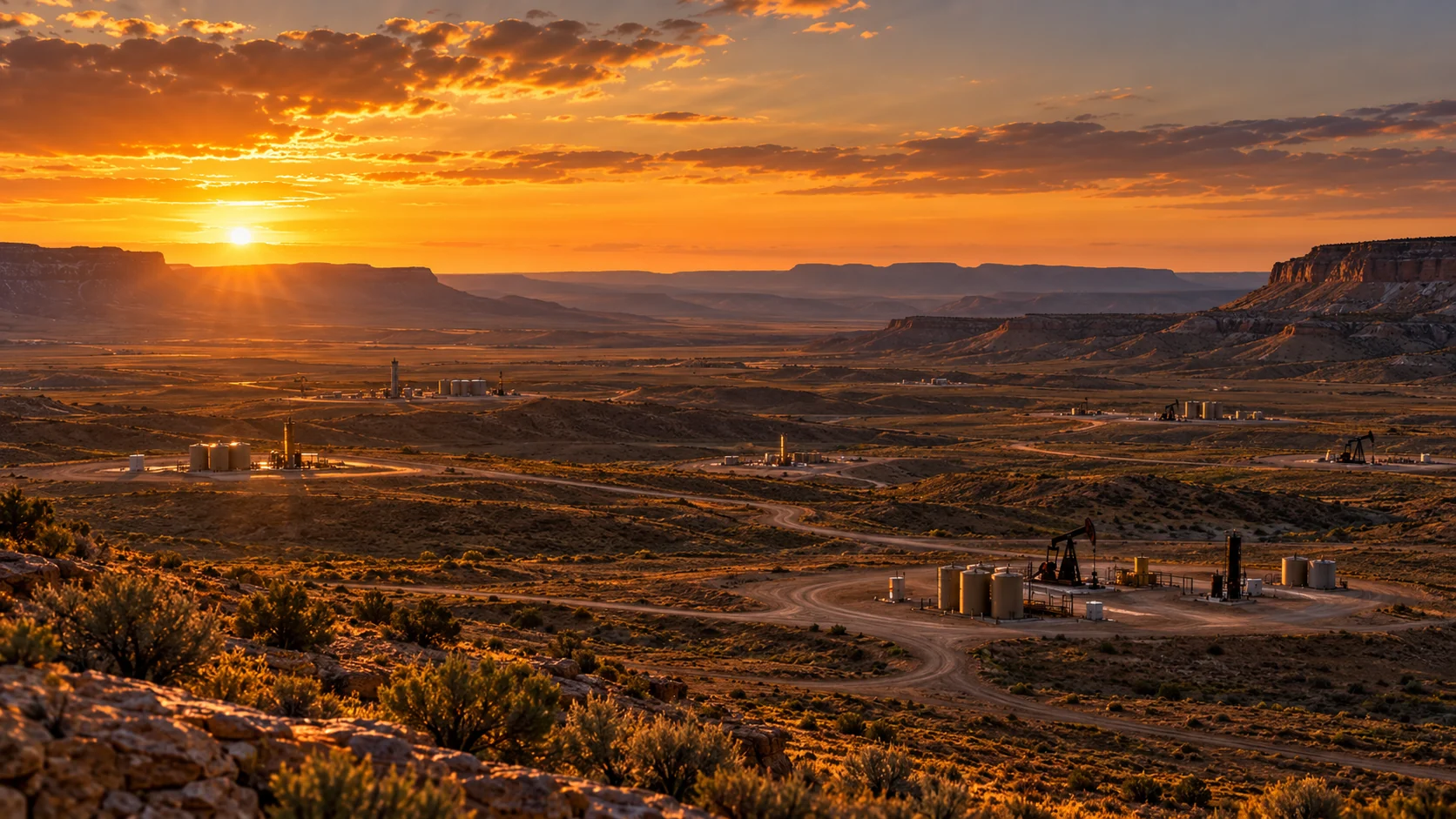
One operational record
The well becomes the center of the system.
Every activity follows the asset — so management can see what happened, who did it, what it cost, and what comes next.
Producing
Northpoint Bridgeland 14-22
API 43-013-00000 · Duchesne County, Utah
FIELDBridgeland
LAST REPORT7:42 AM
OPEN WORK2 Orders
NEXT INSPECTIONSep 16
OverviewActivityWork OrdersInspectionsEquipmentDocumentsPhotosHistory
Today
OIL84 BBL
GAS126 MCF
WATER41 BBL
Recent activity
7:42 AM Daily field report submitted by J. Carter
Yesterday Pump inspection completed — no exceptions
Sep 8 Work order #1048 closed and approved
Made for the person in the field
The record gets created where the work happens.
A technician should be able to arrive at a site, open the asset, complete the ticket, document the condition, attach photos and move on — without returning to the office to recreate the day.
01Digital field ticketsArrival, departure, labor, materials, notes, photos and approvals.
02Inspections & safetyRepeatable checklists that create an auditable operating record.
03Equipment visibilityKeep service and maintenance history attached to the asset.
04Management visibilityField activity reaches the people making decisions without another handoff.
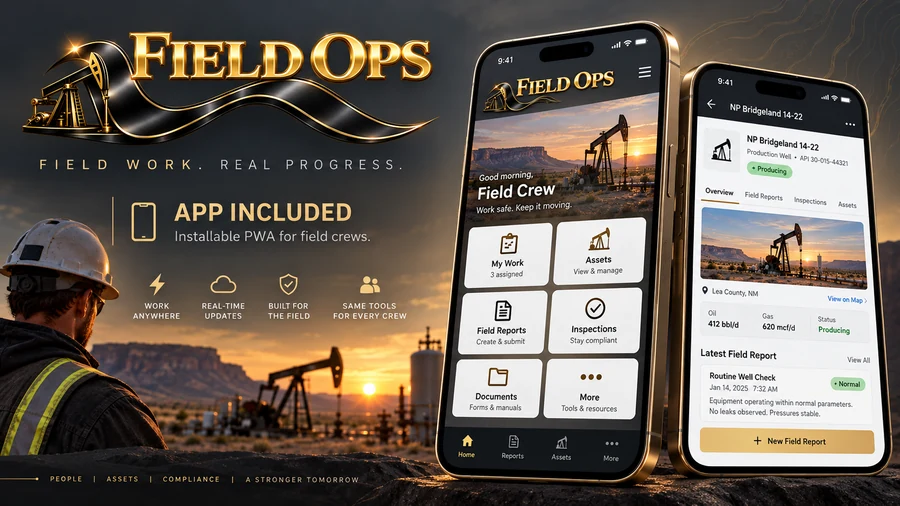
App included
The field app is part of the system.
Show the vision clearly: an installable mobile experience for crews to open work, submit field reports, review assets, and keep operations moving from the well site.
How the app works
From setup to field execution, the workflow is easy to follow.
These screens show the current Northpoint Field Ops flow: define the operating landscape, register assets, dispatch work, capture the field record, and keep management visibility the whole time.
1. Dashboard visibility2. Locations3. Assets4. Dispatch5. Field tickets
01
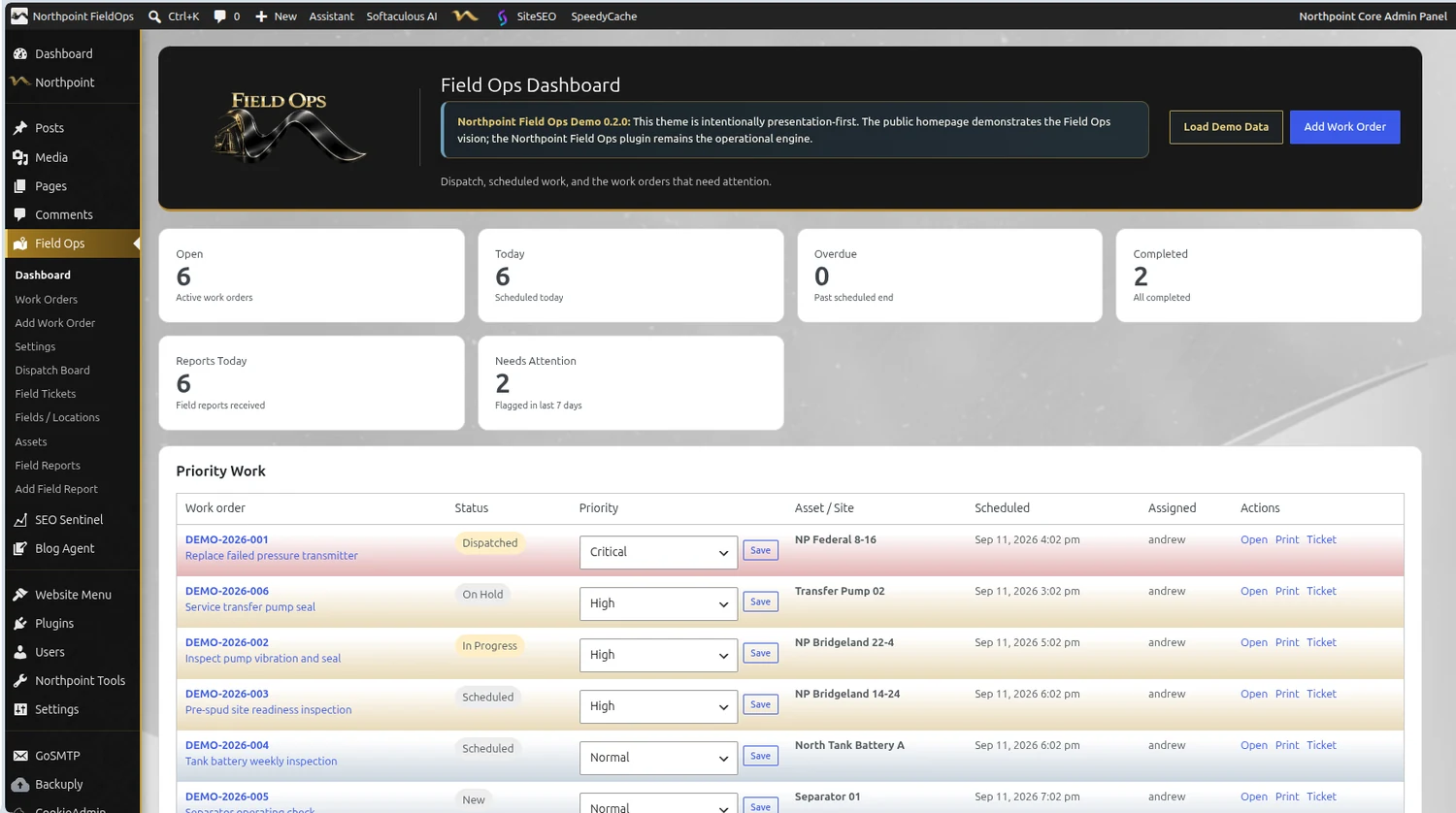
Start with the dashboard.
Leaders can immediately see open work, what is scheduled today, completed work, reports received, and issues that need attention.
- Quick operational snapshot
- Priority work list
- Fast access to tickets and work orders
02
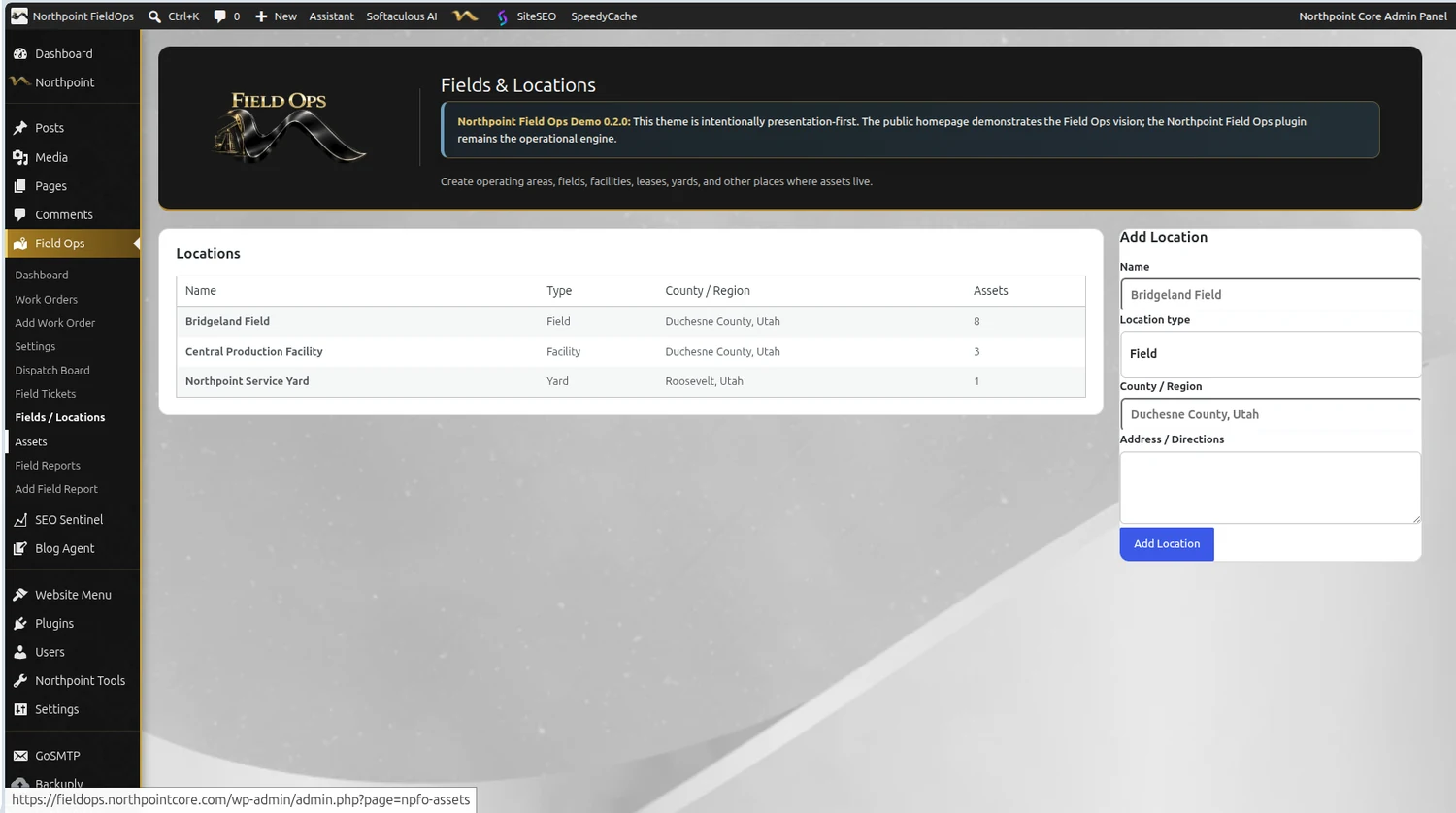
Define where operations happen.
Fields, facilities, yards, and other operating areas are created first so every well, tank, truck, and document belongs to the right place.
- Field / facility structure
- County and region context
- Simple setup for growing operations
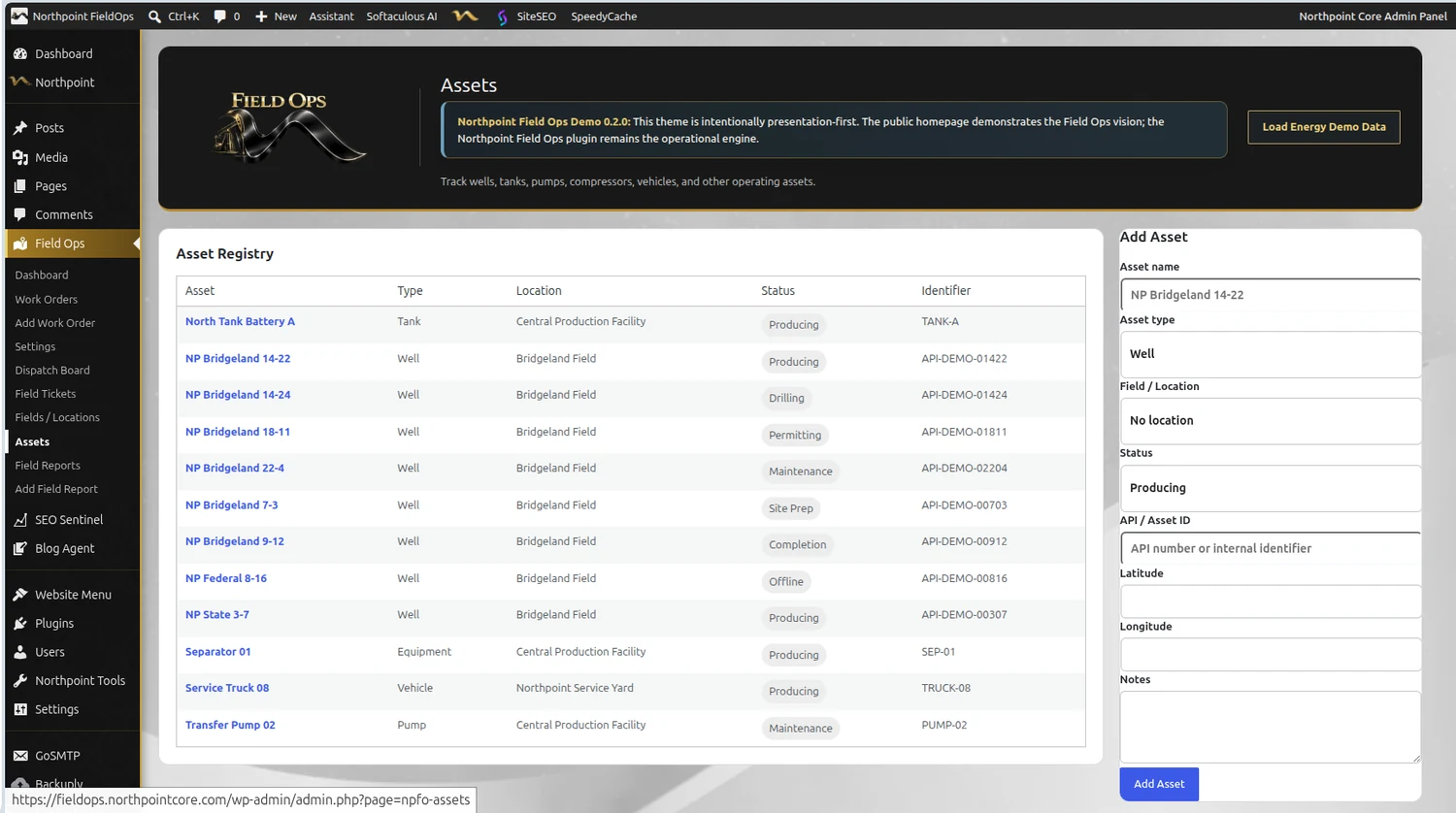
03
Make each well or asset the record.
Assets become the center of the system. Wells, tanks, pumps, separators, and vehicles can all be tracked with status, identifier, location, notes, and connected work.
- Well and equipment tracking
- Status-based visibility
- Organized operational history
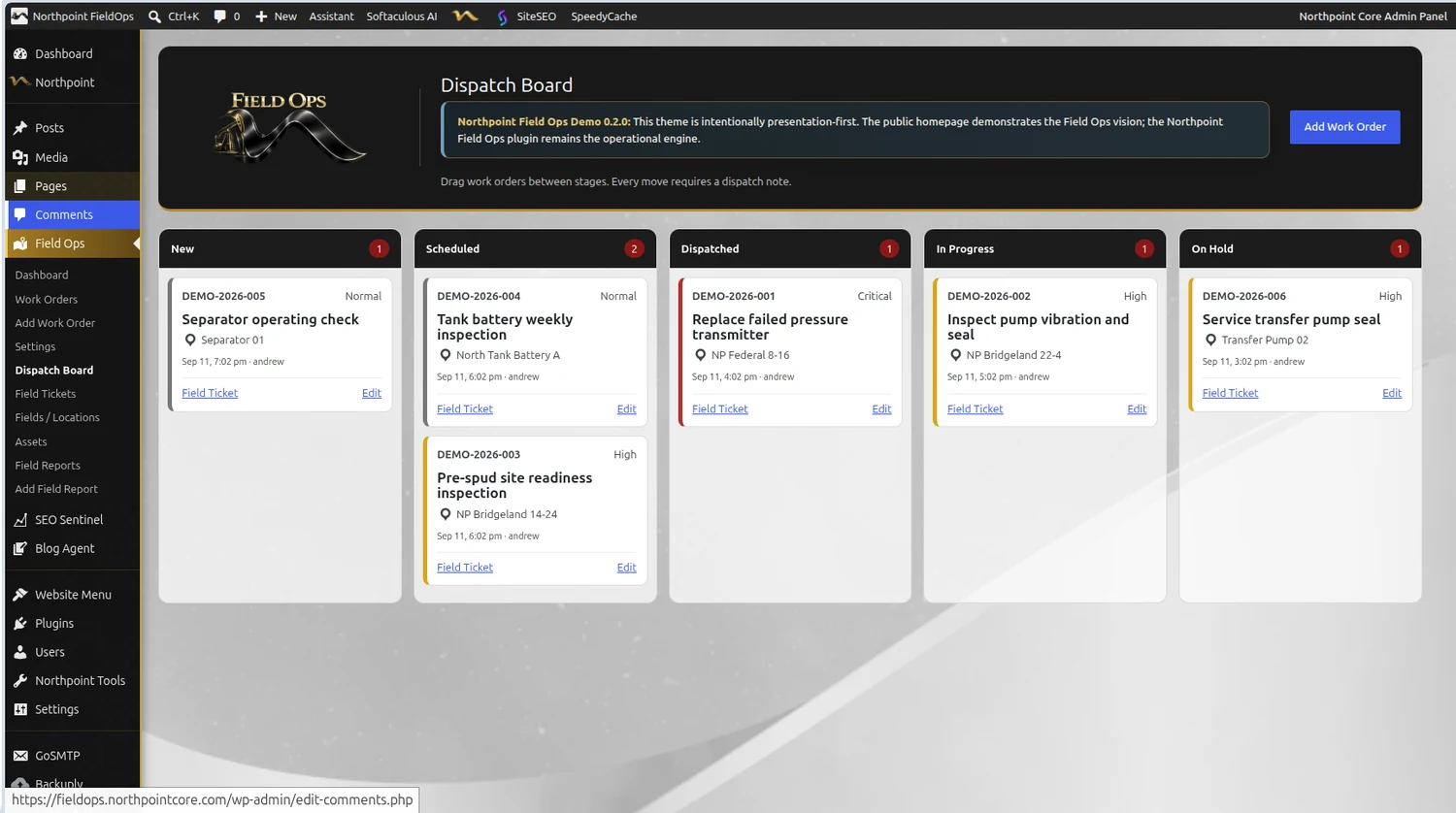
04
Move work through the operation.
The dispatch board makes it clear what is new, scheduled, dispatched, in progress, or on hold. It gives the office and field a shared view of active work.
- Visual stage management
- Priority-aware cards
- Direct link to the field ticket
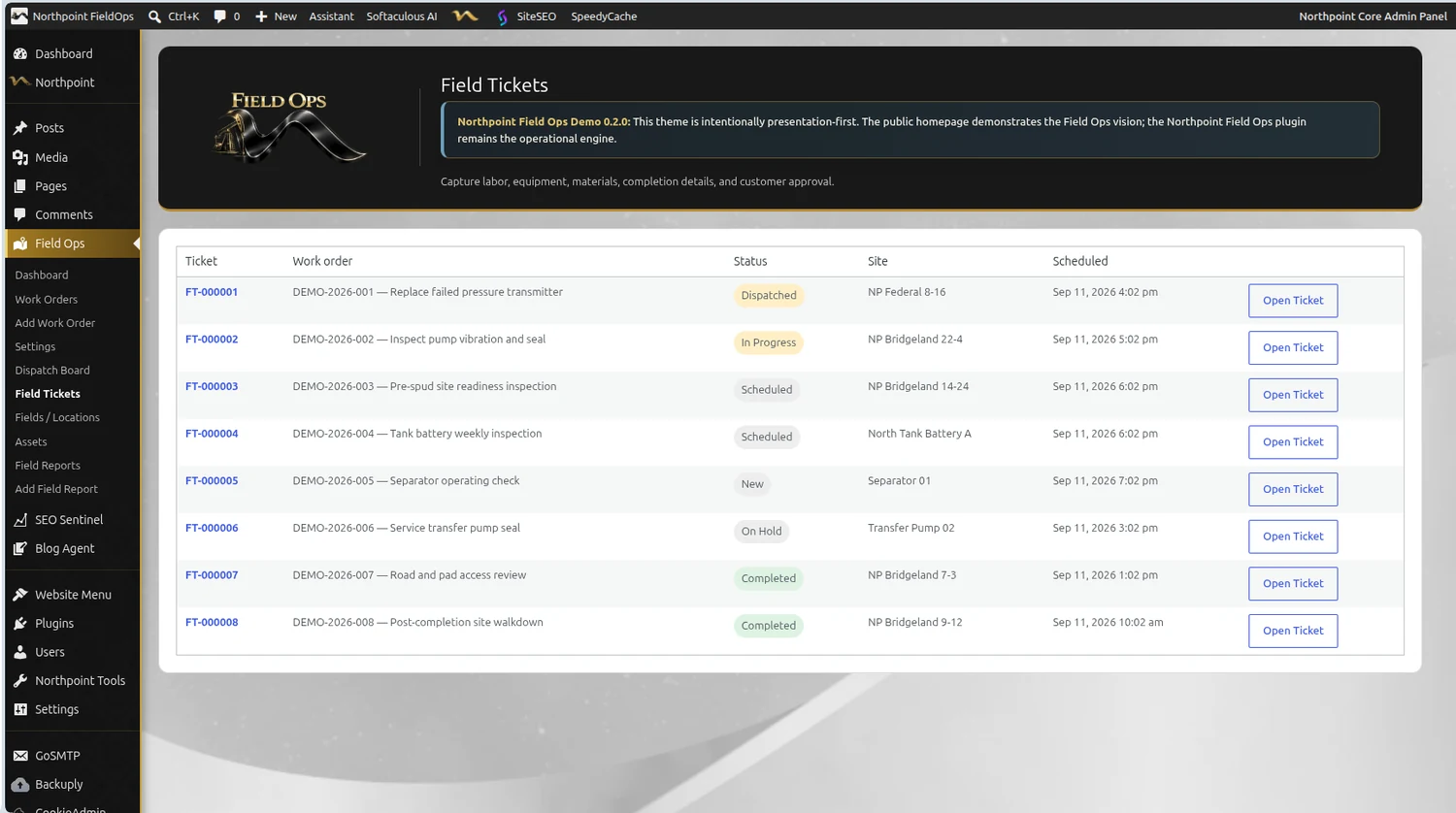
05
Capture the record in the field.
Field tickets are where the day gets documented. They connect the work order, the site, the schedule, the current status, and the record that ultimately supports approvals, reporting, and follow-up work.
- Field-ready work capture
- Clear status progression
- Foundation for mobile/PWA use
Where the app fits: the installable PWA can focus these same workflows into a faster mobile experience for crews in the field — My Work, Assets, Reports, and Tickets.
From workflow to operating system
Complete the work. Capture the record. Make the next decision faster.
Field Ops starts with practical field workflow and can expand into the system that ties together people, assets, operations and results.
Designed to grow with the operation01 02 03 04 05 06
Start with field work. Build the operating system around it.
Wells & Assets
A permanent operational record for every well, site and piece of equipment.
Work Orders
Dispatch, field tickets, labor, materials, photos, approvals and history.
Field Reports
Daily reporting that moves information from the field to management immediately.
Inspections
Scheduled checklists, exceptions, corrective actions and documentation.
Documents
Permits, service records, contracts, photos and filings tied to the asset.
Compliance
Deadlines, filings, renewals, responsible staff and supporting records.
Northpoint Field OpsThe point isn’t more software.
The point isn’t more software.
It’s a clearer operation.
This demonstration represents the direction of the platform. Modules can be configured around the way a field organization actually works.
Open the working Field Ops systemNorthpoint Web Solutions · Duchesne, Utah